
The Experlogix General Settings are organized into tabs.
-
General Tab - Connection and authentication details
-
Versions Tab - Currently installed Experlogix solutions
-
Advanced Tab - Feature settings that leverage CE add-on apps
To access the General Settings page, select the gear icon in CE > Advanced Settings >Settings (from beneath the Experlogix header on the left navigation pane) > General Settings
General Tab
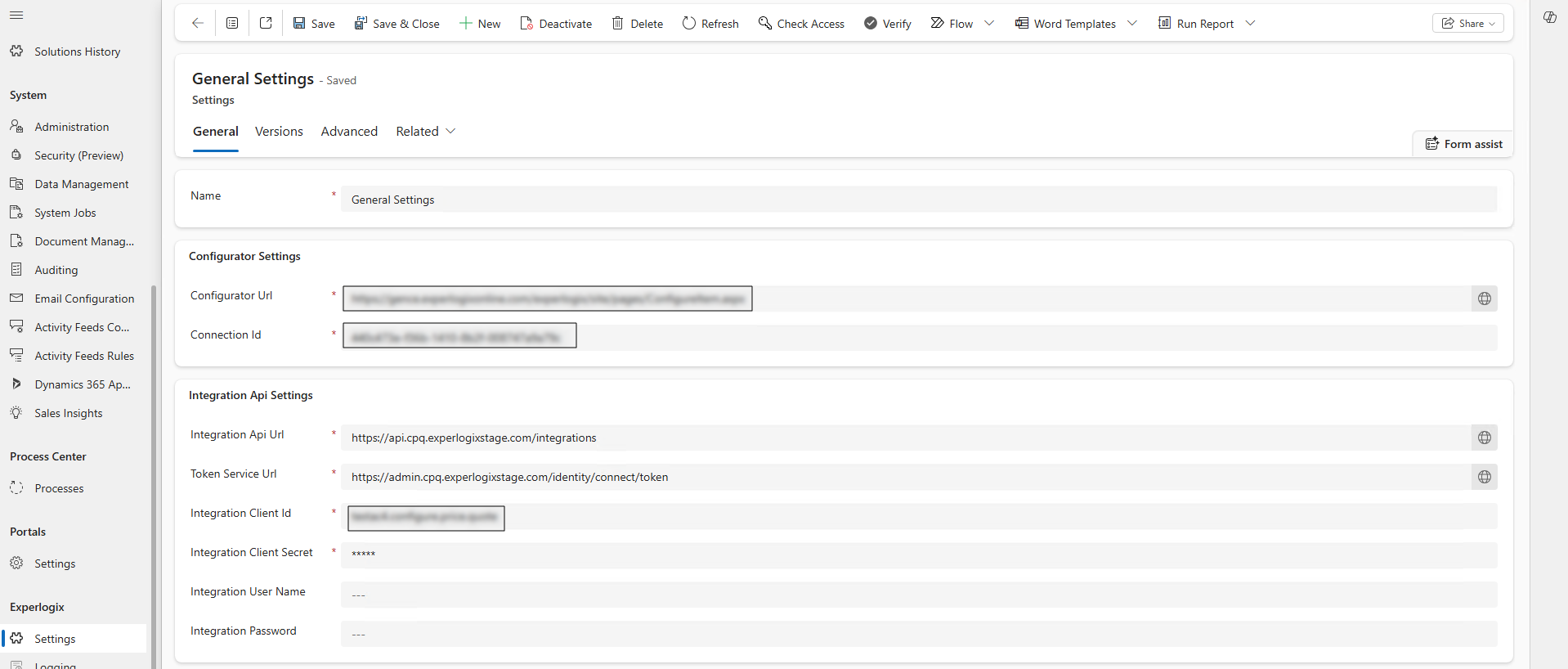
The General tab contains connection and authentication details. See the table below for a complete list of settings.
|
Setting Name |
Description |
|---|---|
|
Name |
The name of the setting file. This value should be "General Settings". |
|
Configurator Url |
URL for accessing the configuration interface. |
|
Connection Id |
Unique identifier used to establish and manage the connection. |
|
Integration Api Url |
URL endpoint for accessing the integration API. |
|
Token service Url |
URL for the service that provides authentication tokens. |
|
Integration Client Id |
Client ID used for authentication and authorization. |
|
Integration Client Secret |
Client secret associated with the integration client ID. |
|
Integration user name |
User name of the Admin Center user/service account whose identity is used for authentication and authorization. |
|
Integration password |
Password of the Admin Center user/service account whose identity is used for authentication and authorization. |
Versions Tab
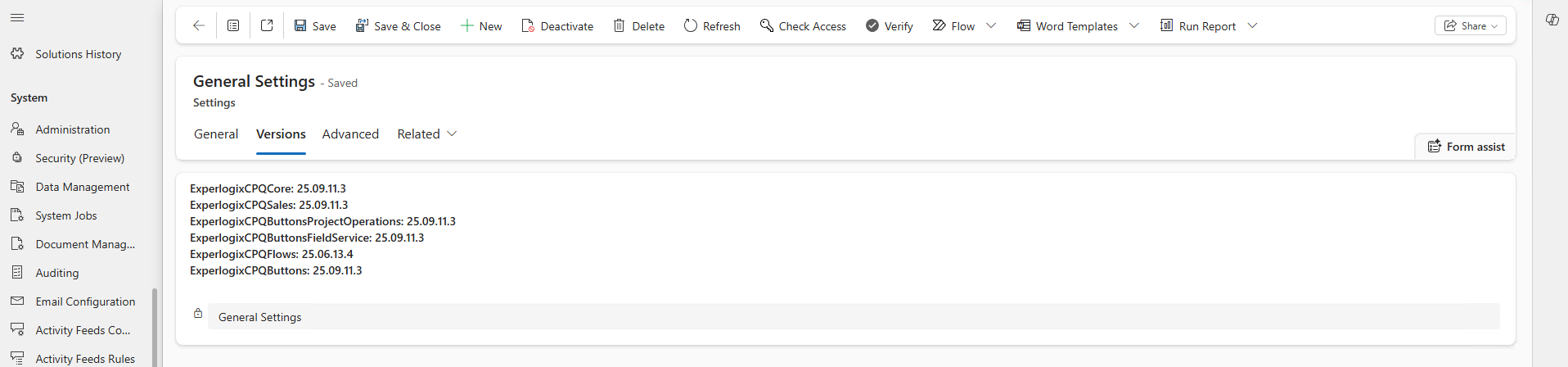
The Versions tab retrieves and lists all installed Experlogix solutions.
Advanced Tab
The Advanced tab includes settings for features that leverage other dynamics apps beyond base CE, such as Dynamics 365 Sales and Project Operations.
These features are supplemental to the core Cloud Connect CE experience. Users with these app licenses must install the appropriate solutions (see Cloud Connect CE Release Notes) to begin using add-on features.
Dynamics 365 Sales
The setting control how existing configuration data is handled when using built-in Dynamics 365 Sales features (Revise Quote, Opportunity to Quote, and Quote to Order).
|
Setting Name |
Description |
|---|---|
|
Opportunity to Quote |
If Yes, the Opportunity to Quote setting tells the system that configuration data should be copied to a quote when it is generated based on a configured opportunity. |
|
Revise Quote |
If Yes, the Revise Quote setting tells the system that configuration data should be copied to a quote when it is revised. |
|
Quote to Order |
If Yes, the Quote to Order setting tells the system that configuration data should be copied to an order when it is generated based on a configured quote. |
Dynamics 365 Project Operations
These settings control how Experlogix integrates with CE and Project Operations, particularly in relation to the Project Schedule API. They determine whether the scheduling service is used, which user account executes scheduling calls, and how project data is written into CE. For more information on the Project Schedule API, see Microsoft's documentation.
|
Setting Name |
Description |
|---|---|
|
Enable the usage of Project Schedule APIs |
If Yes, enables the Project Schedule API. Should be set to Yes for Project Operations and to No for Project Service Automation. |
|
User with license |
The user account used to call the Dynamics 365 Project Operation schedule API for processing project entities. |
|
Scheduling entities |
The list of scheduling entities, separated by a comma. |
|
Needs commit entities |
The entities as listed here and separated by a comma will be committed to CE Project Operations first, prior to persisting the rest of the data. CE Project Operations has certain expectations of entities that need to be created first. |
|
Check data creation delay |
For checking lookups between operation sets. The default value is 3 seconds, while values between 0 and 10 seconds are accepted. |
Processing
This setting is applicable when a document is received, the system first checks whether the ID exists. If it exists, the request is treated as an Update; if it doesn't exist, it is treated as a Create, regardless of the action initially provided by the user.
|
Setting Name |
Description |
|---|---|
|
Update for action=create and key is present |
If Yes, the pre-existing record is updated, if there is no such record, then a new record is created. If No, the following error message is displayed: “Process COnfiguration failed. Action ‘create’ is not valid on the exisiting product (entity = product, id = 9ea….f7f), from Experlogix.Integration.MsCRM.Processor\n.” |