
The Configure button that opens configurations functions in different modes
-
Edit Mode: Users can modify the configuration (read-only =
false) -
View Mode: Users can only review the configuration (read-only =
true)
The Configure button exhibits one of two behaviors. The behavior is determined by evaluating two fields on the entity (e.g., Quote, Opportunity).
-
Status (
statecode) -
Status Reason (
statuscode)
Only the specific status value combinations below enable edit mode. All other values result in a read-only experience, even if the user has the appropriate role.
Default Edit Mode Conditions
|
Entity |
Status ( |
Status Reason ( |
Read-Only = false |
|---|---|---|---|
|
Opportunity |
0 |
Open |
✅ Yes |
|
Quote |
0 |
Draft |
✅ Yes |
|
Order |
0 |
Active |
✅ Yes |
|
Invoice |
0 |
Active |
✅ Yes |
Extending Status Reason for Additional Customization
Organizations can extend the Status Reason field (statuscode) under a valid editable status (e.g., Draft or Active) to support more detailed internal workflows while preserving default logic. This enables businesses to reflect custom internal stages such as Under Review or Awaiting Approval without triggering read-only behavior.
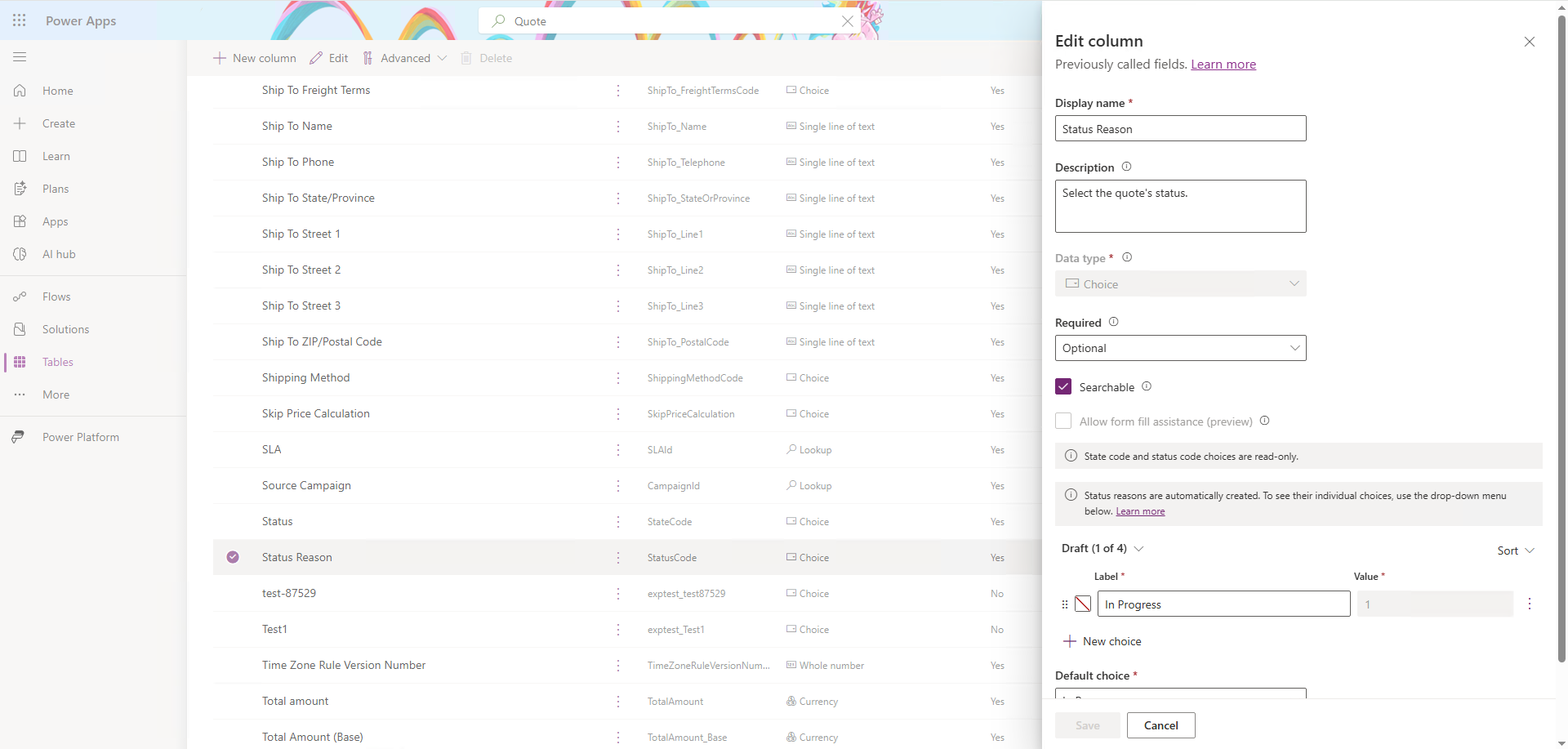
Microsoft Dynamics 365 CE Standard Quote Status and Reasons
In the standard setup below, users can only edit configurations with a statecode= Draft. However, administrators and organizations can extend this logic for Drafts by matching it with additional status reasons and statuscodes.
|
Status (statecode) |
Status Reason (statuscode) |
Read-Only? |
|---|---|---|
|
0 Draft |
1 In Progress |
❌ No |
|
1 Active |
2 In Progress |
✅ Yes |
|
3 Open |
✅ Yes |
|
|
2 Won |
4 Won |
✅ Yes |
|
3 Closed |
5 Lost |
✅ Yes |
|
6 Canceled |
✅ Yes |
|
|
|
7 Revised |
✅ Yes |
The quote below remains in Draft (allowing complete configuration) in this setup, but internal teams can reflect more granular process stages without losing edit capability.
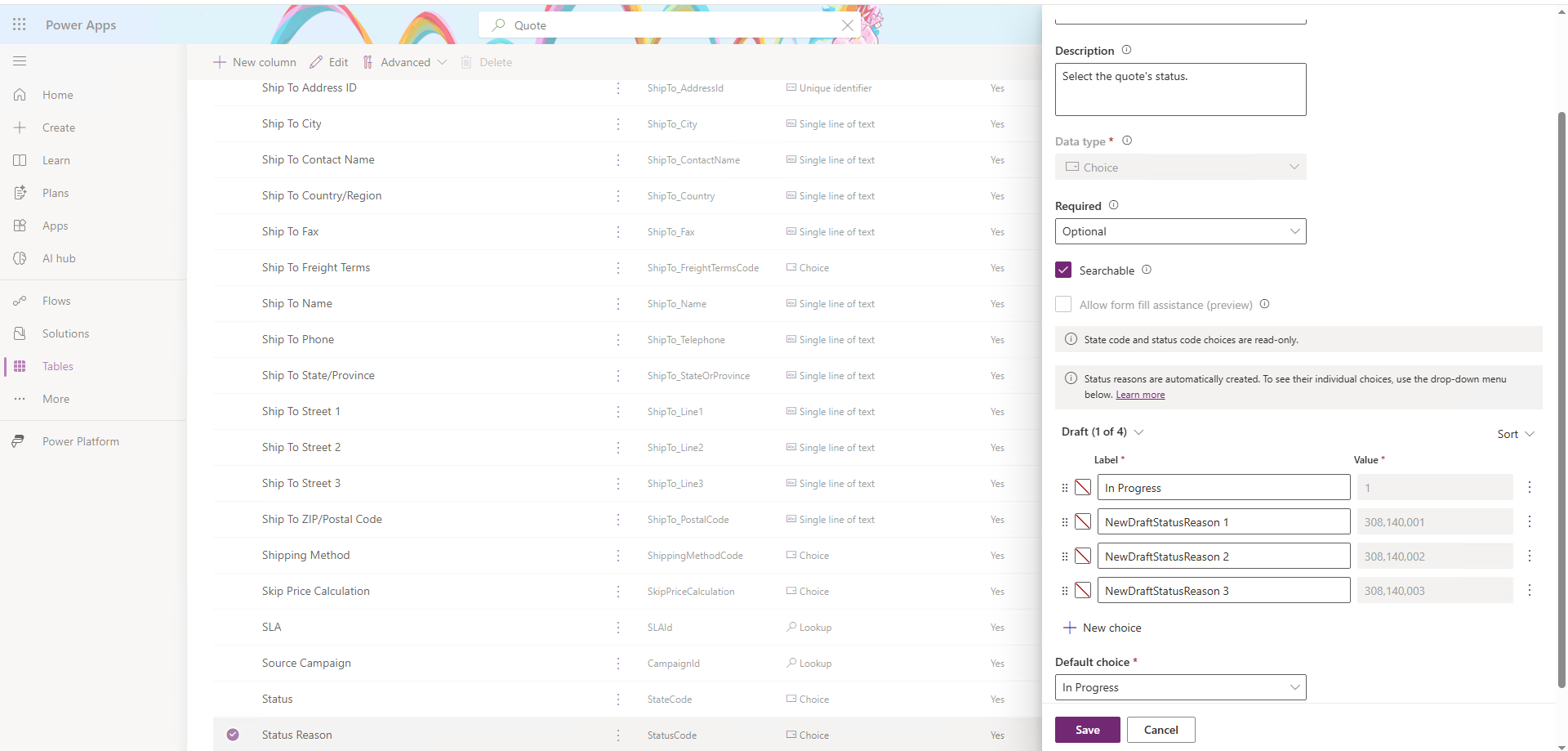
Example: Quote Status Reason Extension
|
Status (statecode) |
Status Reason (statuscode) |
Read-Only? |
|---|---|---|
|
0 Draft |
1 In Progress |
❌ No |
|
0 Draft |
Auto-Generated In Progress - Legal |
❌ No |
|
0 Draft |
Auto-Generated In Progress - Reviewed |
❌ No |
|
0 Draft |
Auto-Generated In Progress - Approved |
❌ No |
|
1 Active |
2 In Progress |
✅ Yes |
|
|
Under Review |
✅ Yes |
|
|
Approved |
✅ Yes |
|
3 Open |
✅ Yes |
|
|
2 Won |
4 Won |
✅ Yes |
|
3 Closed |
5 Lost |
✅ Yes |
|
6 Canceled |
✅ Yes |
|
|
|
7 Revised |
✅ Yes |
Any custom status reasons added under 0 Draft for a Quote entity retain full edit access for the Configure button. Read-only behavior only applies once the Quote transitions to a status of Closed or other finalized state.