
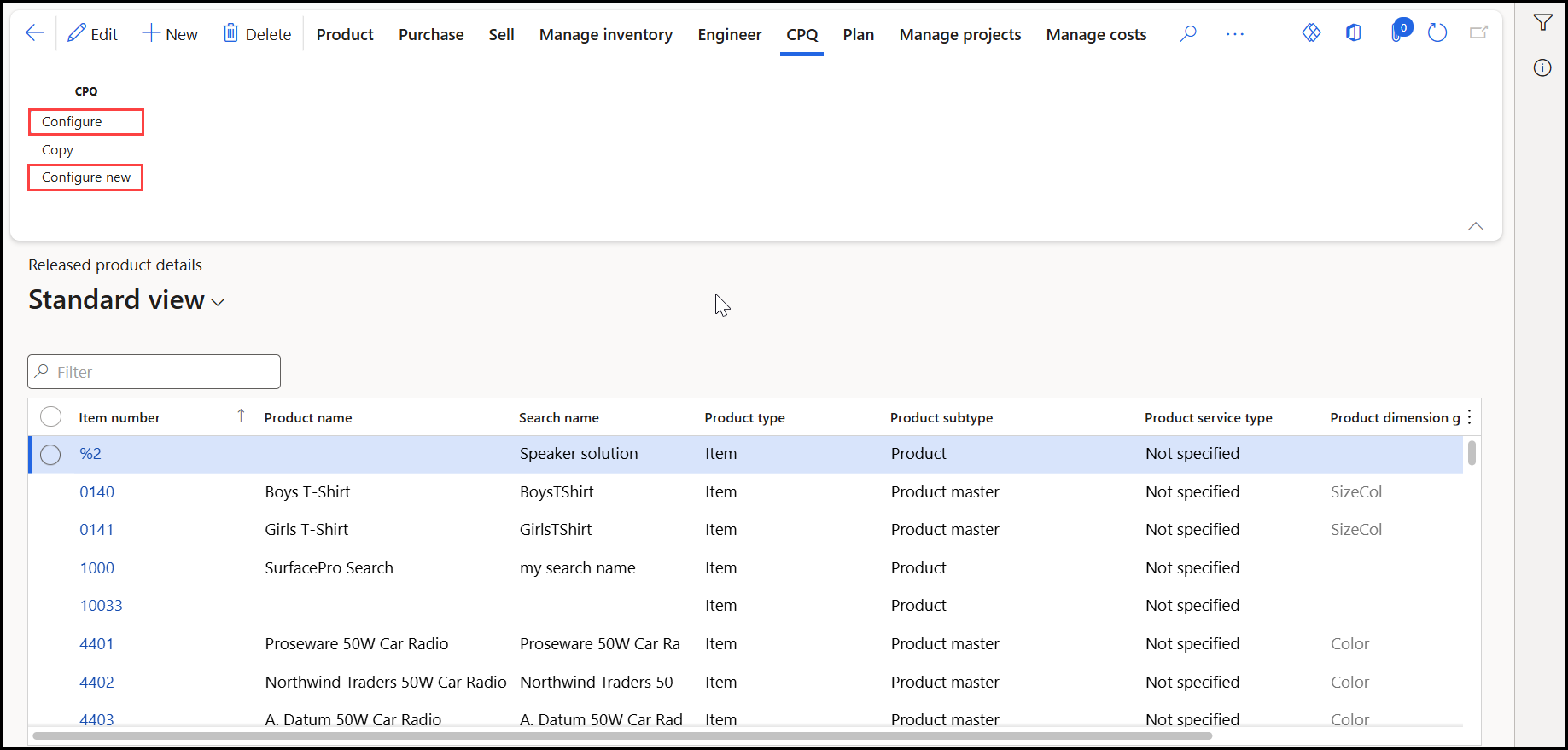
This enhancement adds a Configure new button to the CPQ tab on the Released Product form in Dynamics 365 Finance & Operations. The button enables authorized users to launch the Experlogix configurator and create a new product configuration directly from a released product.
Only users assigned the Experlogix CPQ Released product role can view and access the CPQ action buttons.
Business Requirement
Users need the ability to initiate a new product configuration from a released product record without using the existing Configure functionality, which is intended for reconfiguration scenarios.
Navigation
Modules > Product Information Management > Products > Released Product > CPQ:
Functionality
When a user selects Configure new:
The Configure new button is meant to create a new released product.
The existing Configure button remains unchanged and continues to launch the Experlogix configurator for the selected released product. This action is intended for configuring existing product records.