
The Publisher Service is a standalone WCF service that allows a publisher user to submit an archive package for publication. When a client does not have direct access to the Web Configurator, the Publisher Service enables the client to submit changes to the database and directories.
The following functions are available with the Publisher Service:
-
Publish the archive package
-
Changing the web.config or settings of the publisher service on the site server
Cloud Connect Change Requirements
For Cloud Connect, specific changes are required with respect to the Publisher Service setup.
Perform the following steps after completing the process outlined in the Publisher Service Document:
-
In the IIS Manager, set an identity on the Publisher Service Application Pool as a local Windows account with sufficient rights.
-
Create a new local user, Publisher, with a complex password.
-
In the IIS Manager, in the Configuration Editor, add the Feature Basic Authentication for the Role Webserver and expand Security.
-
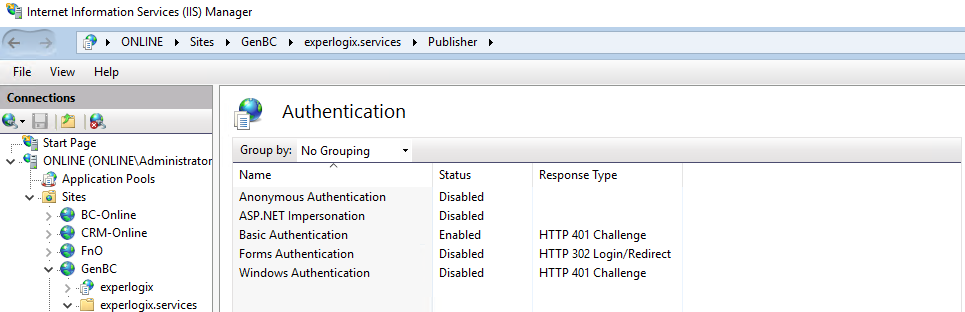
In the IIS Manager, enable the Basic authorization for the publisher service authentication.
-
For the attribute AllowAnonymousAccess, set to True.
-
Modify the web.config of the Publisher Service to use basic authentication.
A new webHttpBinding configuration basic_ssl is added.
-
Use the local Windows account for publishing.
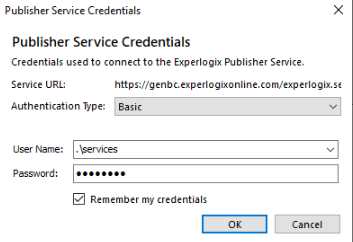
This completes the Publisher service setup.