
The process documented on this page is required as Design Center cannot execute a generic query using Cloud Connect. In the future, It will be possible to execute these type of queries using the CPQ Configurator to Microsoft Dynamics 365 BC.
The GetSalesPriceValue query is used for retrieving the sales price in the Integration API for Microsoft Dynamics 365 BC.
-
In Swagger, navigate to the Experlogix Integration API.
-
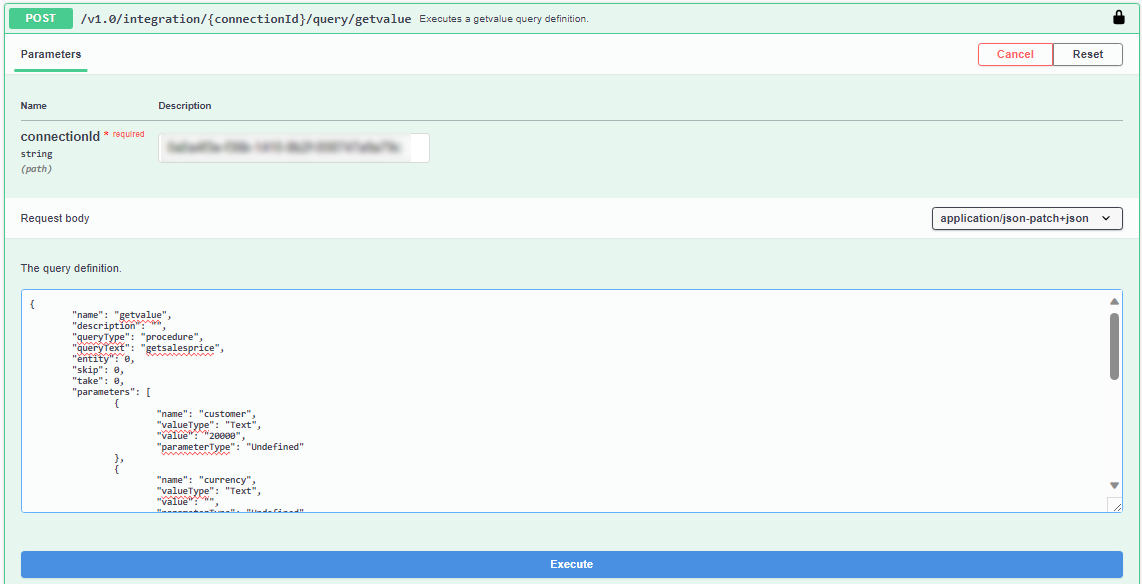
In the Query endpoints, access the getValue endpoint.
-
In the upper-right corner, select Try It Out.
-
In the connectionId field, add the connection ID.
-
In the query definition field, add the following code.
"name": "getvalue", "description": "", "queryType": "procedure", "queryText": "getsalesprice", "entity": 0, "skip": 0, "take": 0, "parameters": [ { "name": "customer", "valueType": "String", "value": "20000", "parameterType": "Undefined" }, { "name": "currency", "valueType": "String", "value": "", "parameterType": "Undefined" }, { "name": "date", "valueType": "Date", "value": "", "parameterType": "Undefined" }, { "name": "item", "valueType": "String", "value": "1900-S", "parameterType": "Undefined" }, { "name": "quantity", "valueType": "Decimal", "value": 7, "parameterType": "Undefined" }, { "name": "unit", "valueType": "String", "value": "", "parameterType": "Undefined" } ] } -
Select Execute.
The response displays the sales price.

This completes the procedure in Microsoft Dynamics 365 BC to call the sales price functionality.