
When creating a sales order, it is possible to copy the configuration from a Microsoft Dynamics 365 BC Sales Quote to a Sales Order when creating the order. This functionality ensures that the configuration applied to the quote is retained in the order without duplication.
Prerequisites
-
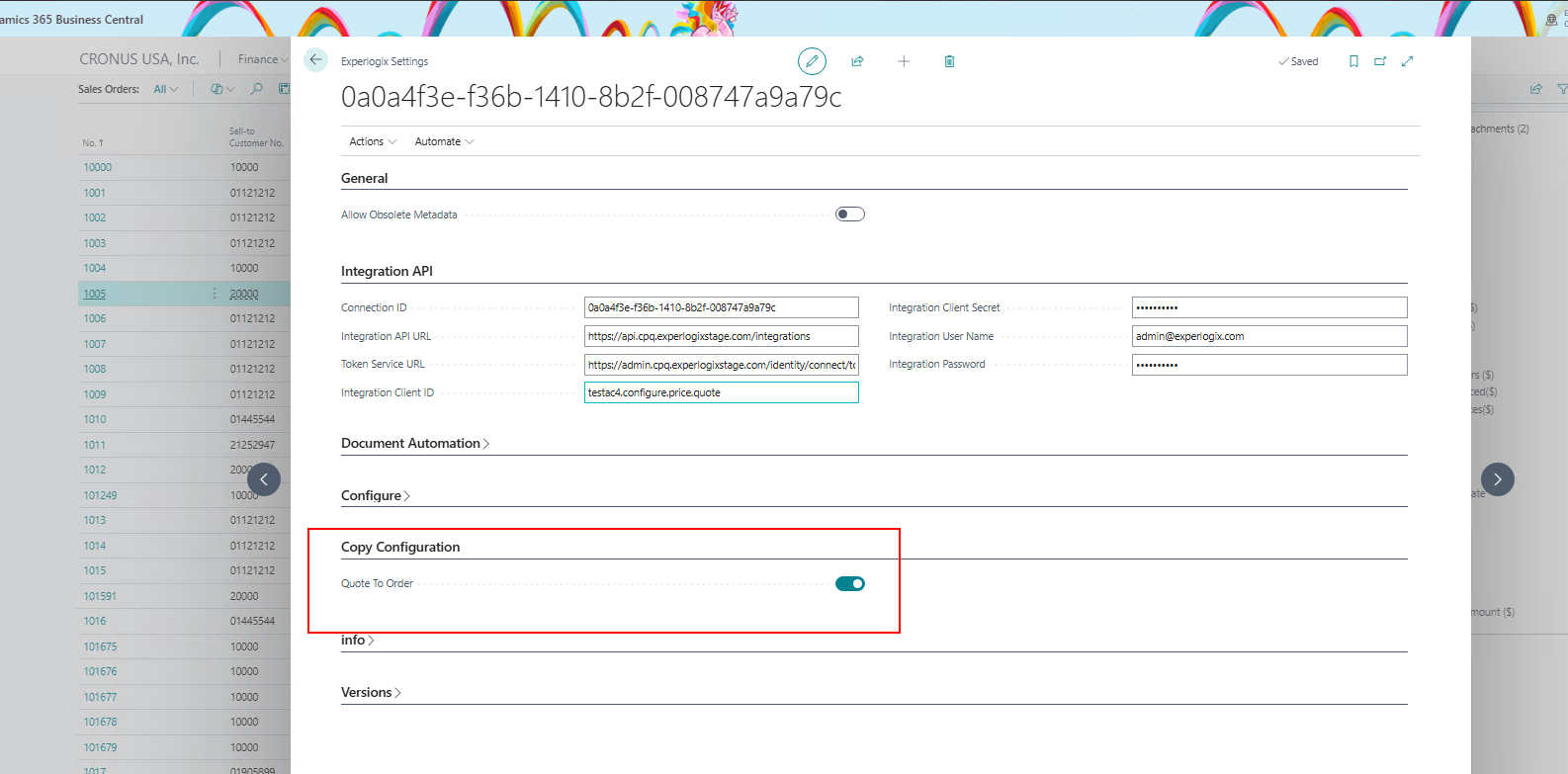
The Copy configuration from Quote to Order setting is enabled on the Experlogix Settings in Microsoft Dynamics 365 BC.
-
The process design must have the same structure as the Microsoft Dynamics 365 BC Quote and Microsoft Dynamics 365 BC Sales Order.
Enable Copy Configuration from Quote to Order
-
In Microsoft Dynamics 365 BC, navigate to the Experlogix Settings page.
-
Select the Copy Configuration dropdown.
-
Turn on the Quote to Order toggle to enable this functionality.
Create a Sales Order from a Sales Quote
-
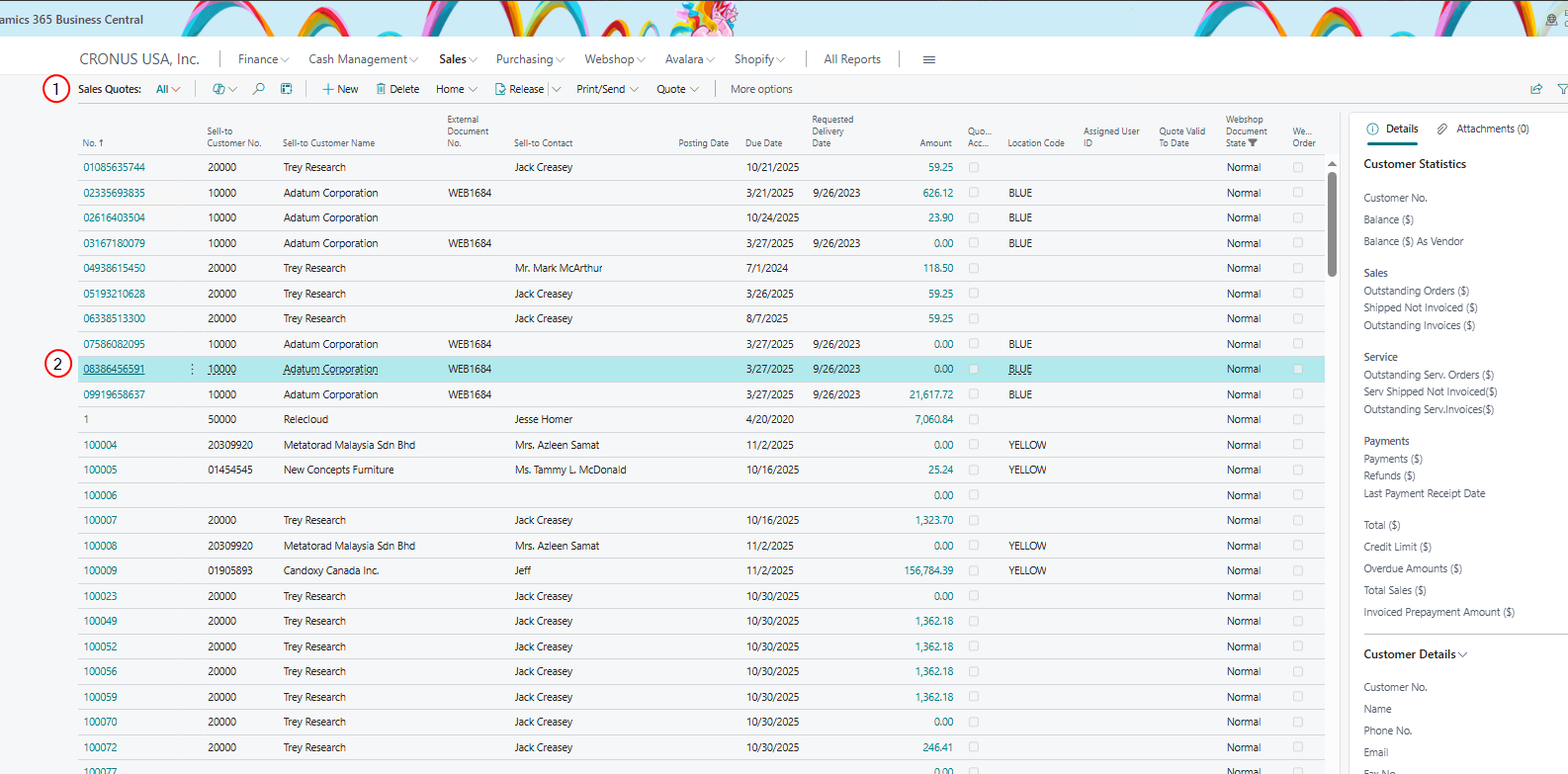
In Microsoft Dynamics 365 BC, navigate to the Sales Quotes page.
-
Select the Quote you want to convert.
-
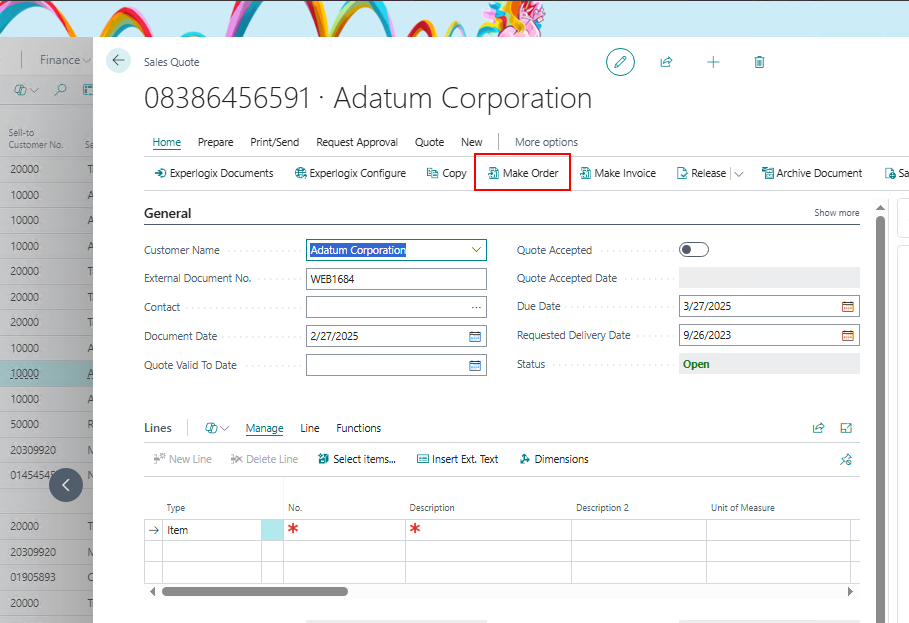
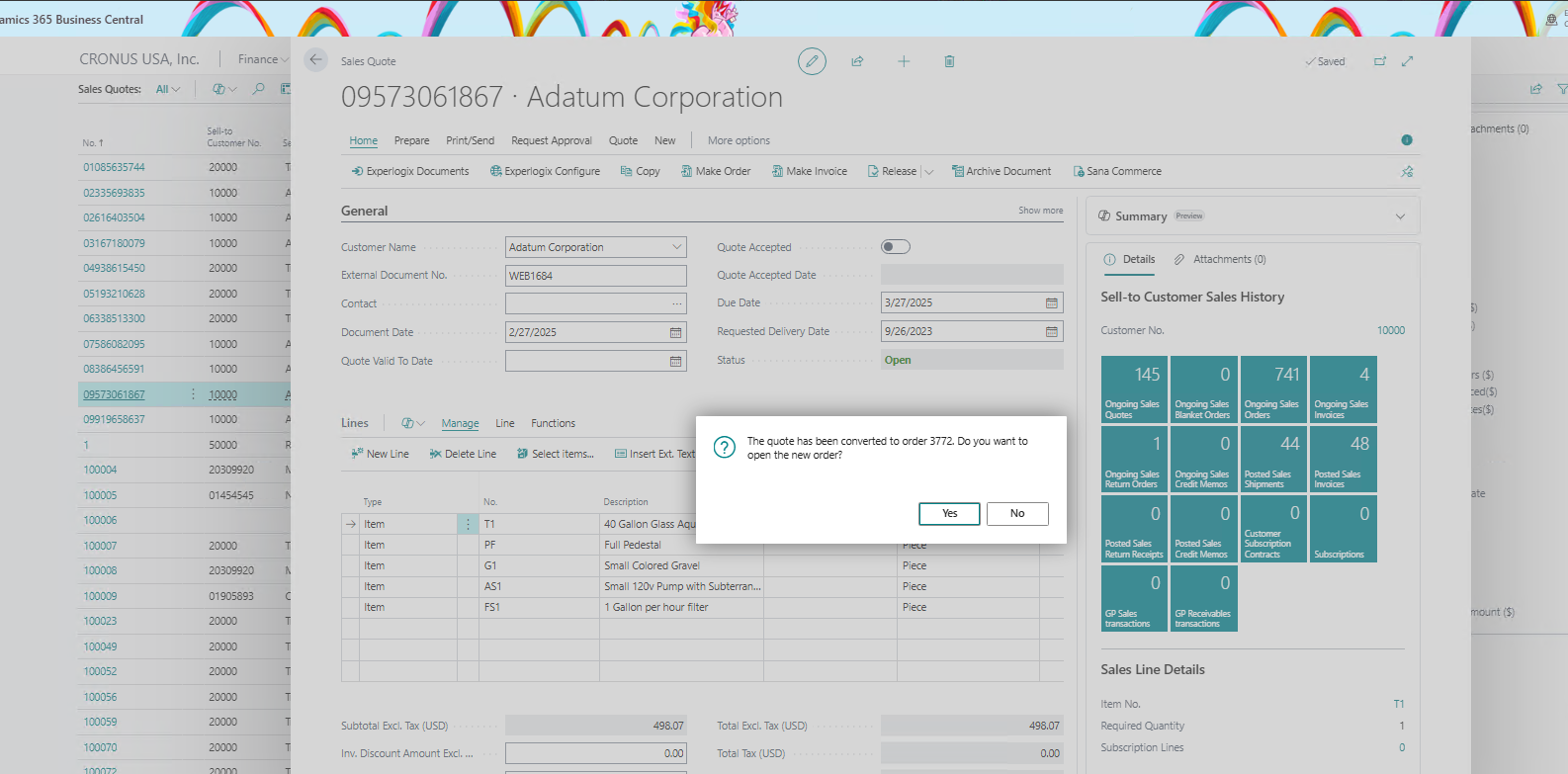
On the Home tab, select Make Order.
-
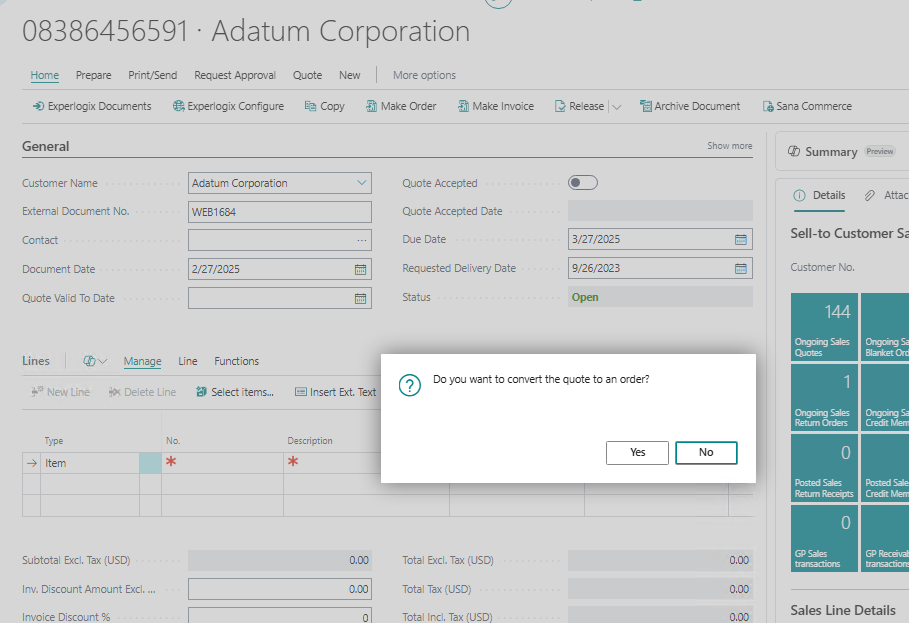
Select Yes to give confirmation.
-
Select Yes to open the new order.
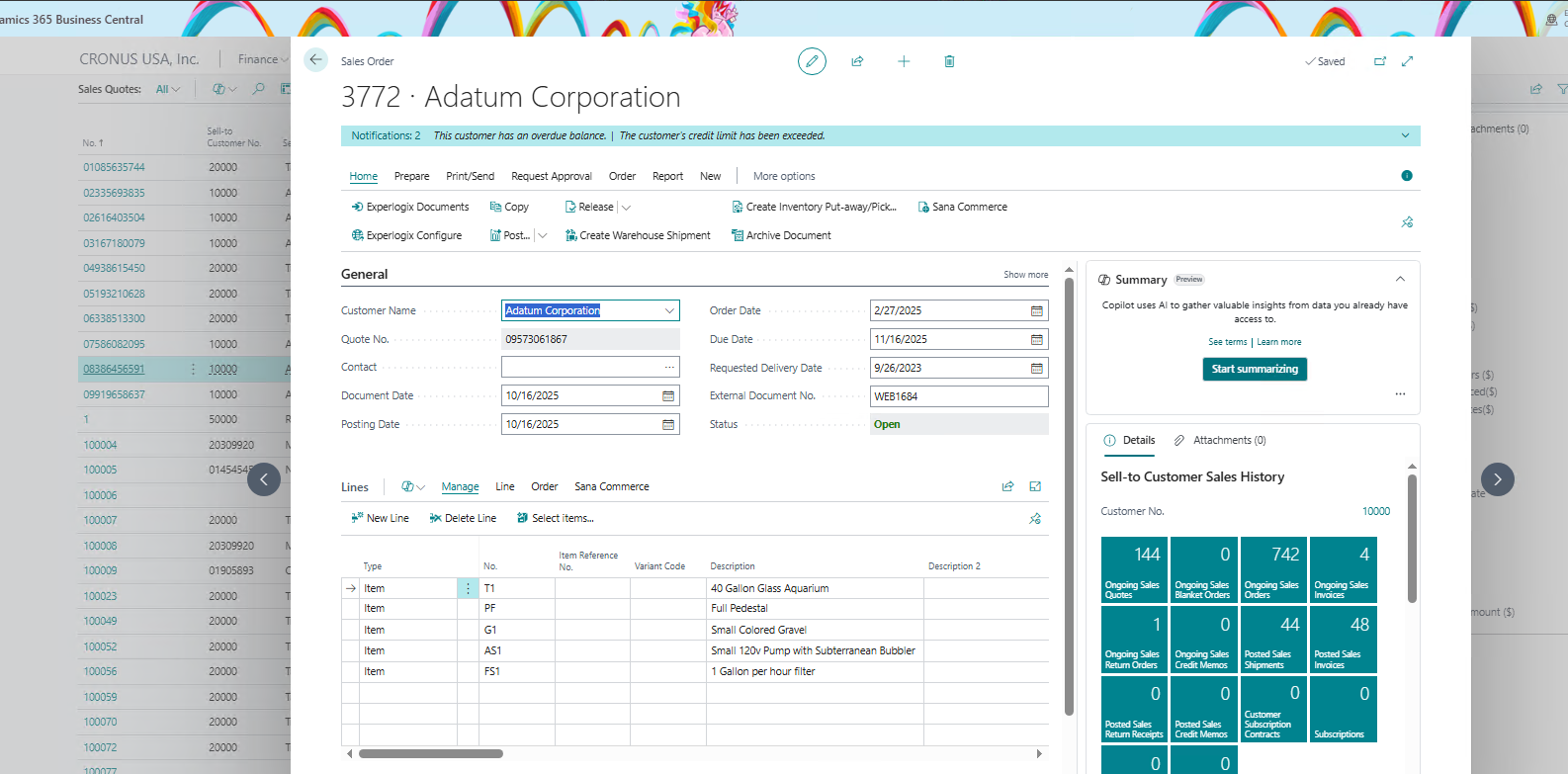
The Order is created from the Quote, and the Order page displays.
Experlogix logging is active (optional for verification).