
This document outlines the integration of the Web Configurator Service (WCS) with a CPQ Configurator integrated with Salesforce and Cloud Connect. It includes setup prerequisites, installation of an unlocked package containing classes for authentication and WCS method calls, and configuration of Named and External Credentials in Salesforce. The package provides basic implementations for getMetadata and createConfigurationFromCopy operations against the WCS endpoint and serves and a launching point for further custom development of your own WCS client.
Prerequisites
-
Experlogix CPQ with Cloud Connect as the integrator
-
Site is setup with STS
-
WCS is installed with the Configurator
-
Process design for Salesforce is published to the Configurator
Salesforce Setup
Unlocked Package Installation
The sample code is distributed as a no namespace unlocked package, which means code is visible and can be edited/debugged. The package can be installed using the links here. The code provided is designed to help you get started with WCS, not provide a specific solution. The included classes were tested with the following WCS implementation: /experlogix/services/WebConfigStatelessOperations.svc.
Unlocked Package Contents
Experlogix WCS unlocked package contains open source example code that allows you to get started with Experlogix Web Config Service. The unlocked package contains the base class for authentication and 2 method implementations to start with.
|
Class |
Description |
|---|---|
|
StatelessOpsClient |
Contains authentication logic. |
|
StatelessOpsGetMetadata |
A getMetadata method implementation. It returns the configuration XML for the specified record. |
|
StatelessOpsCopyConfiguration |
A createConfigurationFromCopy method implementation. It copies the configuration from one header record to another. |
Setup of the Named Credentials and External Credentials
Experlogix Cloud Connect WCS uses a username + connectionId authentication method. Each call to the WCS is made by a user, but the actual work (getting metadata, copying a configuration, etc) is performed by the service account set up in the Admin Center connection. This is usually a special dedicated user such as a system admin account or a normal user account with elevated rights. The credentials for this user are passed with each request, so it is important to perform the initial Salesforce setup and update it each time the connectionId or username/password is changed.
-
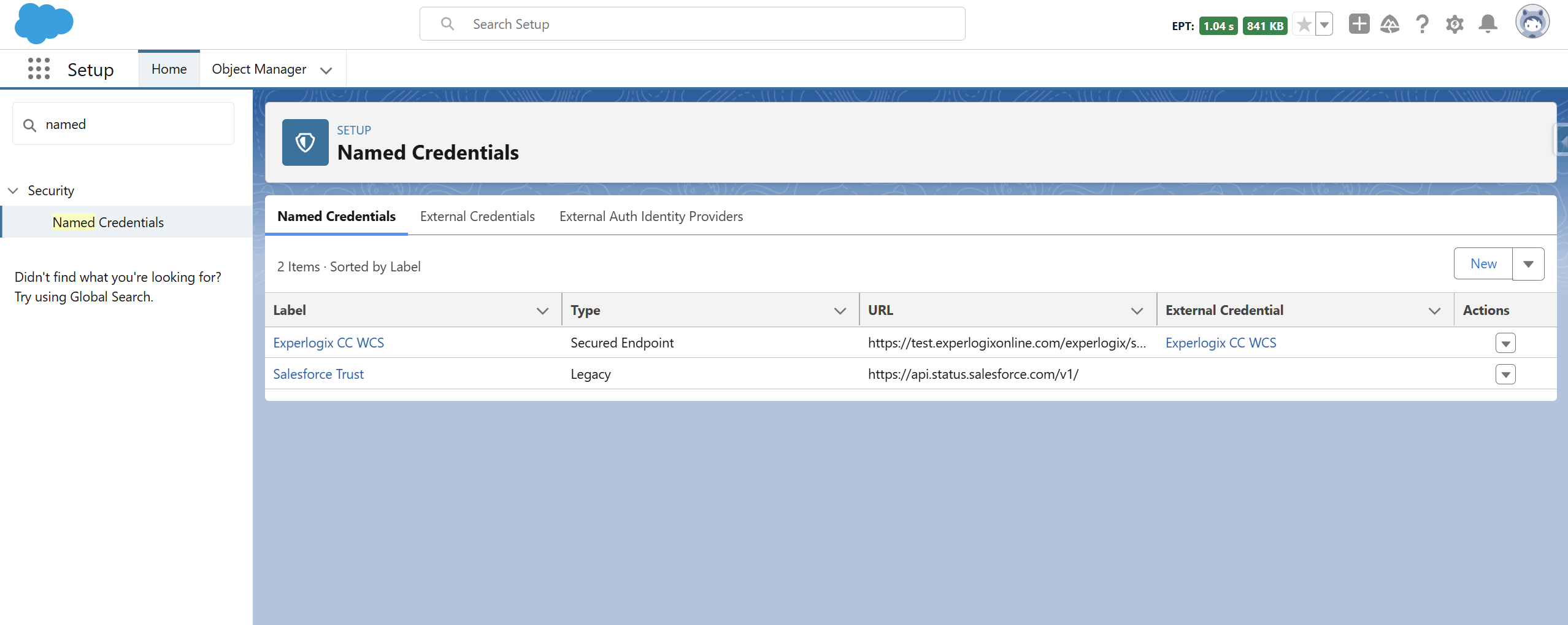
In Salesforce, navigate to Setup > Named Credentials.
-
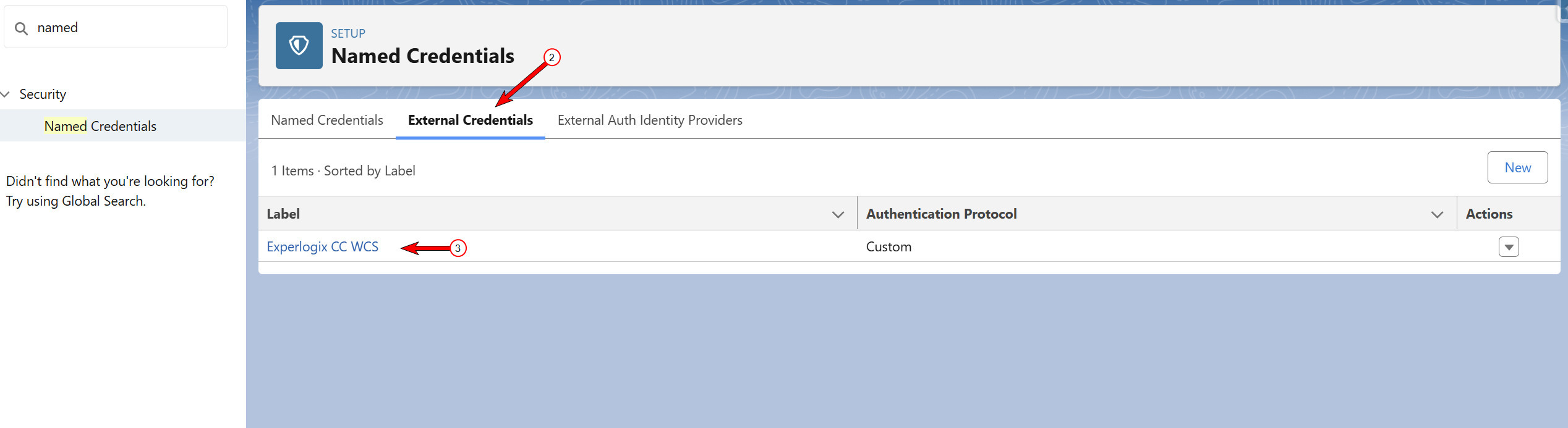
Select the External Credentials tab.
-
Open the external credential that was created with the package installation.
-
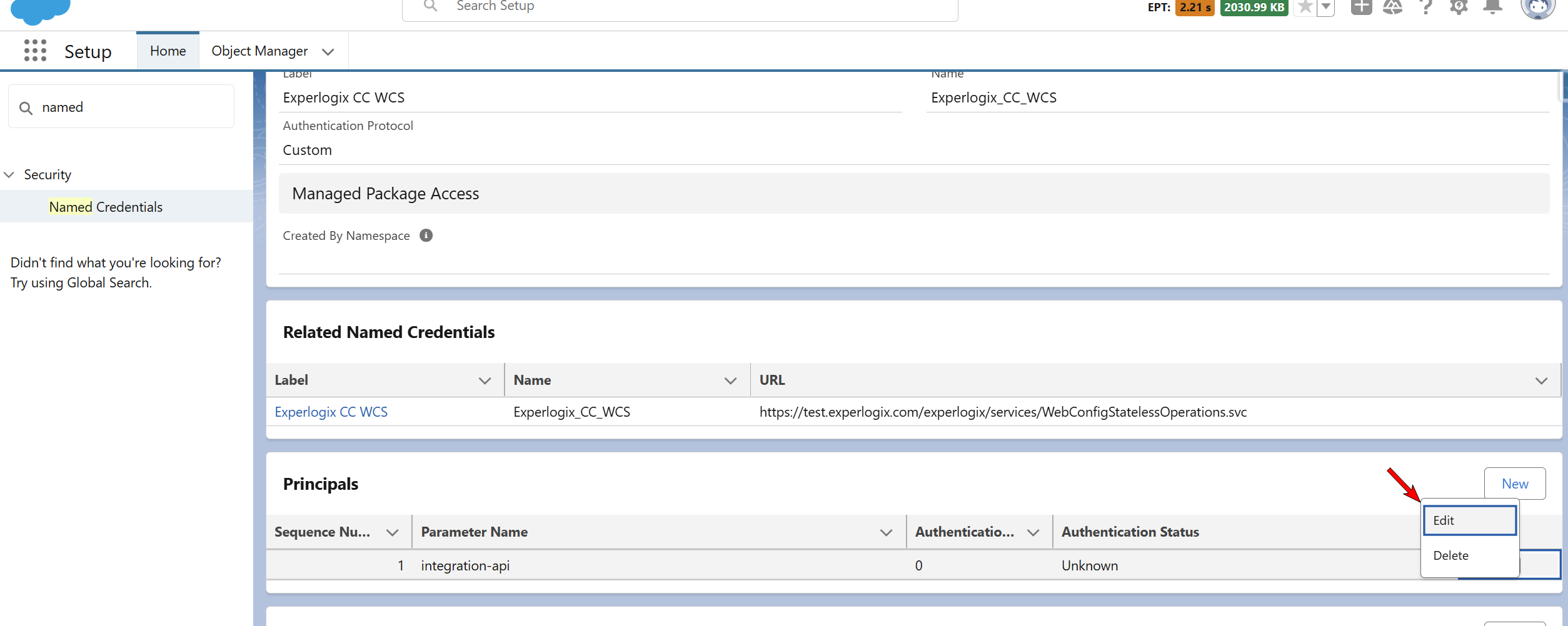
In the Principals sections, select Edit.
-
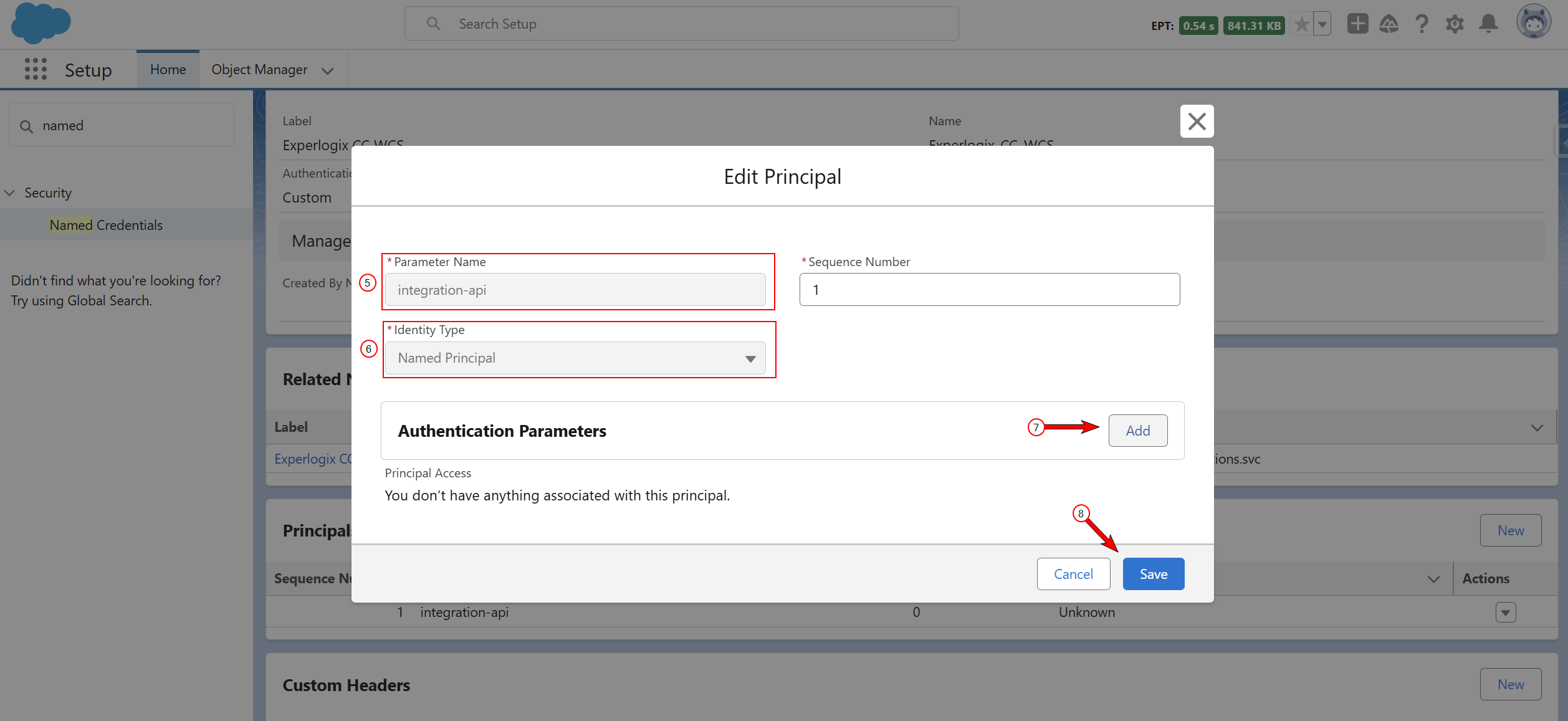
Provide a name for the Principal.
-
Select Named Principal for the Identity Type.
-
Use the Add button to create the following three parameters:
The parameter name is case sensitive.
|
Parameter Name |
Value |
Source |
|---|---|---|
|
password |
Admin Center account password |
The same password is usually used in Experlogix Connection settings. |
|
username |
Admin Center account username |
The same username is usually used in Experlogix Connection settings. |
|
connectionId |
ConnectionId from Admin Center |
The same ConnectionId is usually used in Experlogix Connection settings. |
-
Select Save.
-
Navigate back to Setup > Named Credentials.
-
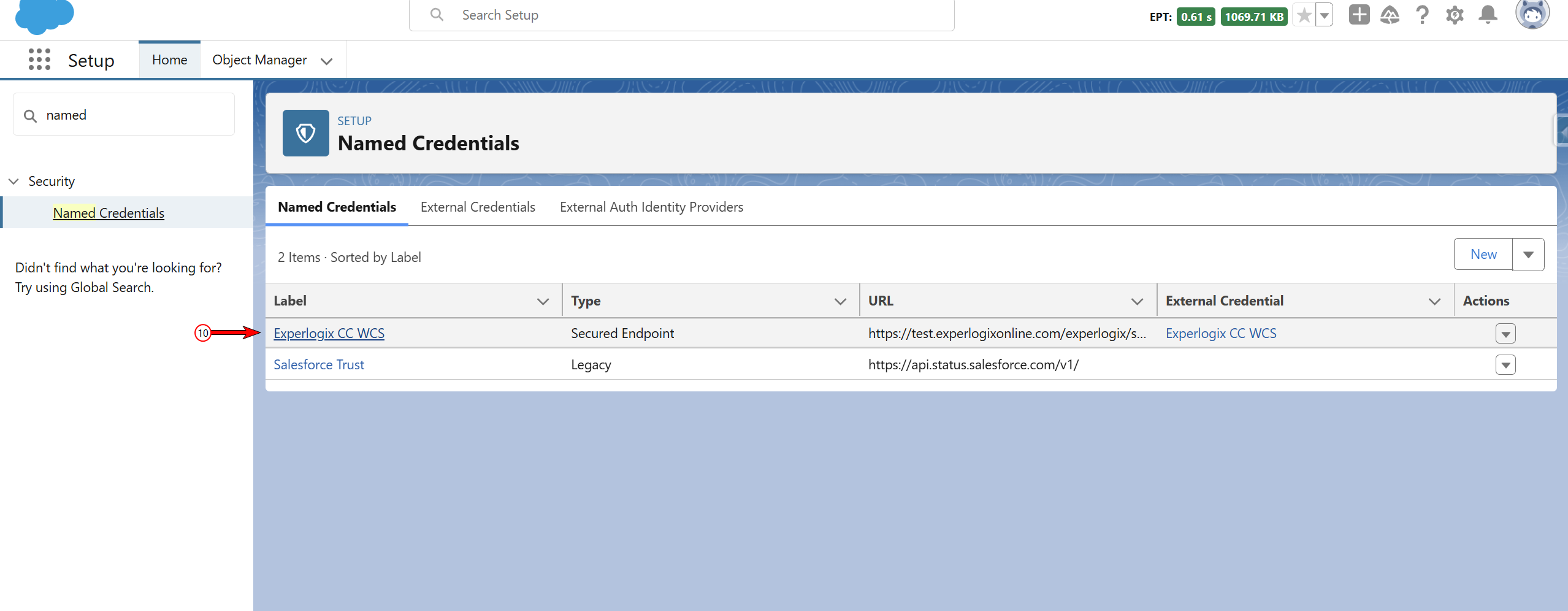
Open Experlogix CC WCS Named Credential.
-
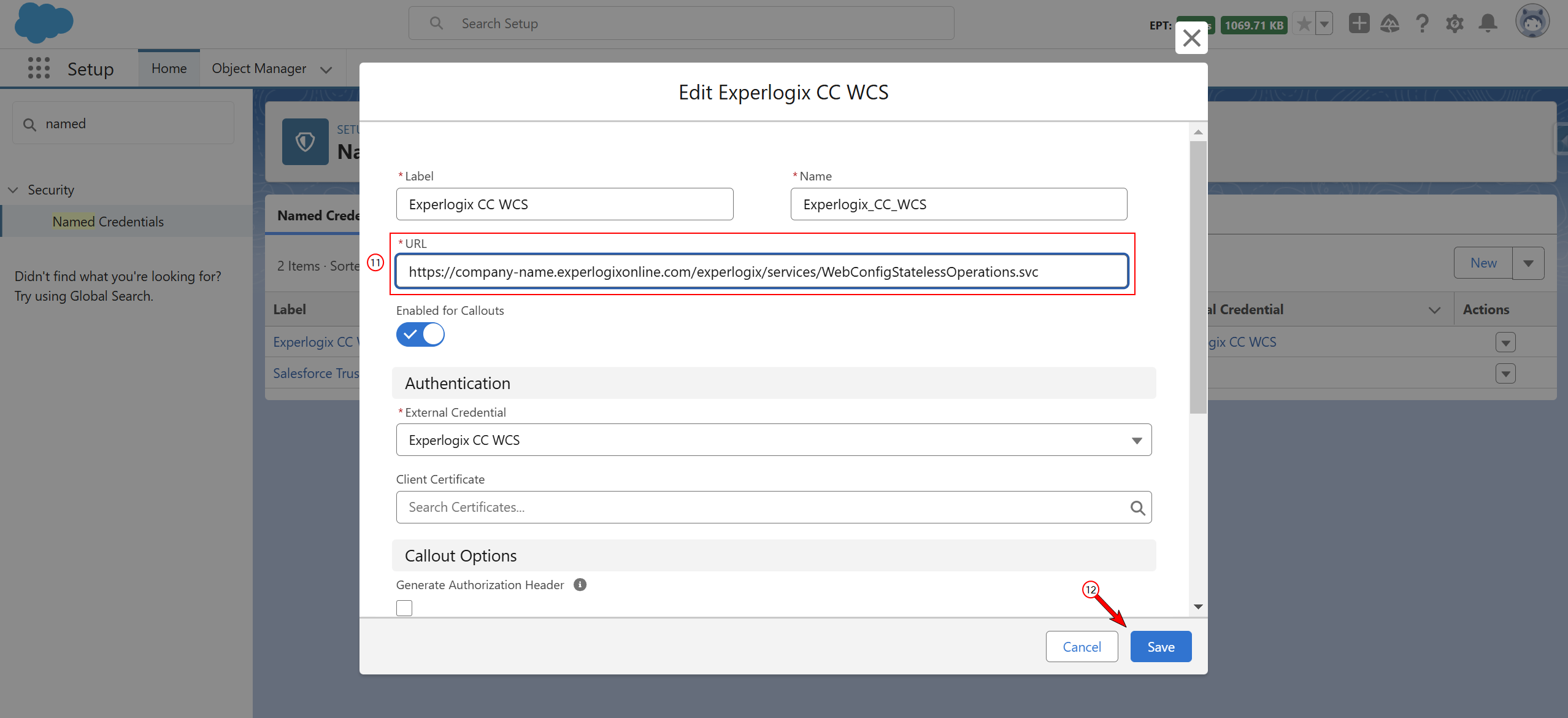
Change the URL of the webservice to much your implementation.
-
Select Save.
Creation of the Permission Set
To let authorized users call the Web Configurator Service from Salesforce, you’ll create a dedicated permission set that links their profiles to the external credential principal. The steps below walk you through building and assigning the Experlogix_CC_WCS permission set so those users can securely run Experlogix Cloud Connect WCS operations.
For general information on Permission Sets, see Salesforce's documentation.
-
Navigate to Setup > Permission Set.
-
Create a new Permission Set and name it Experlogix_CC_WCS.
-
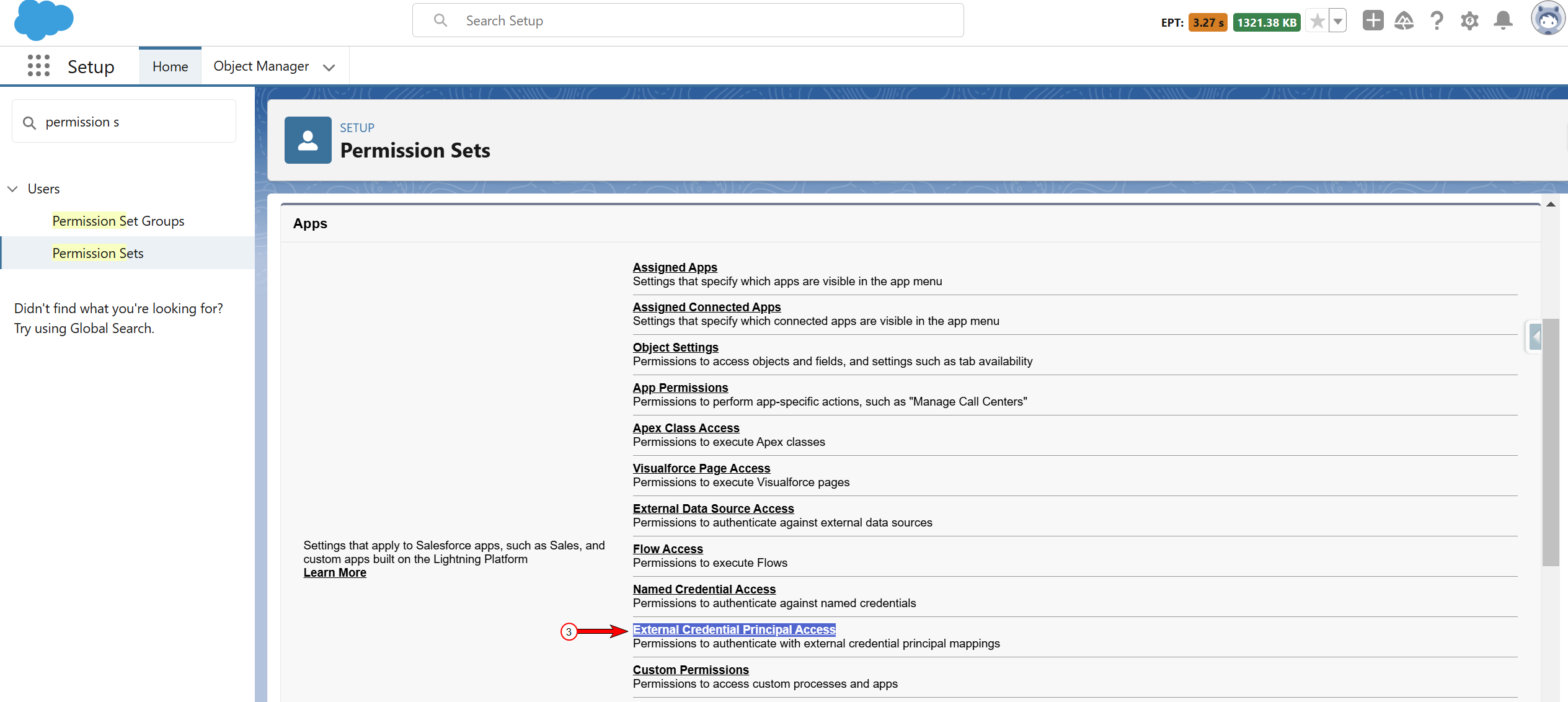
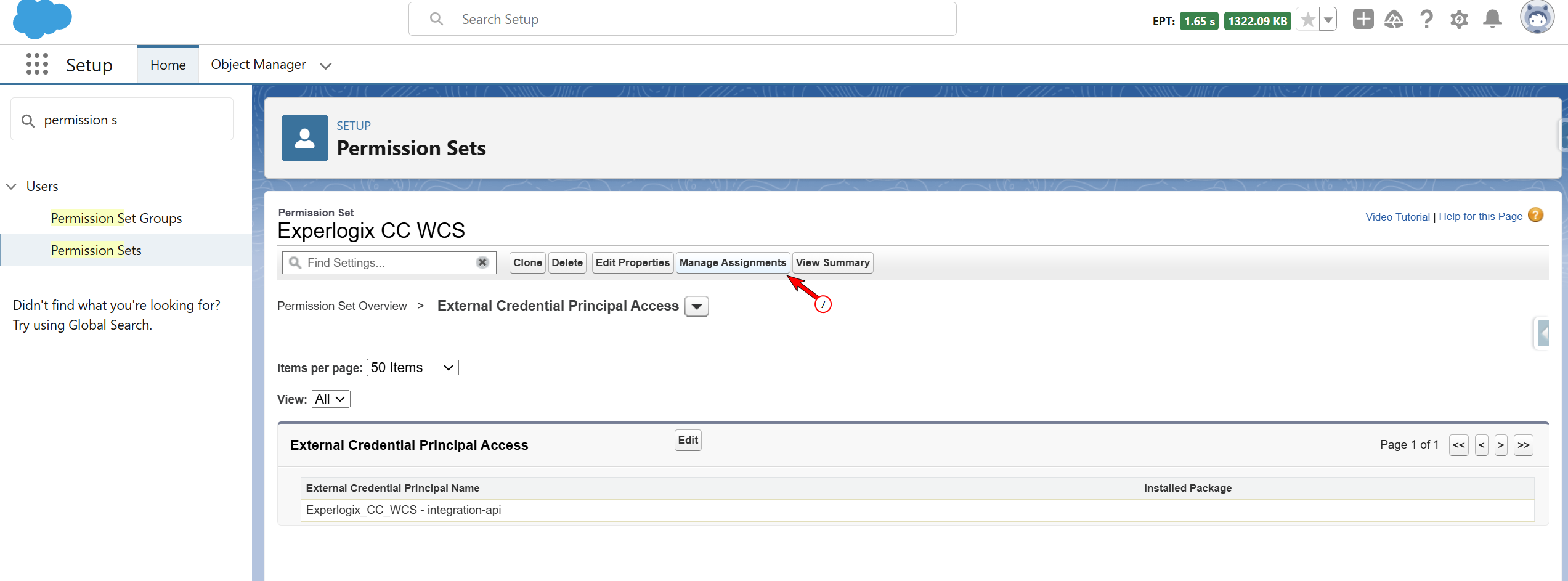
Locate External Credential Principal Access.
-
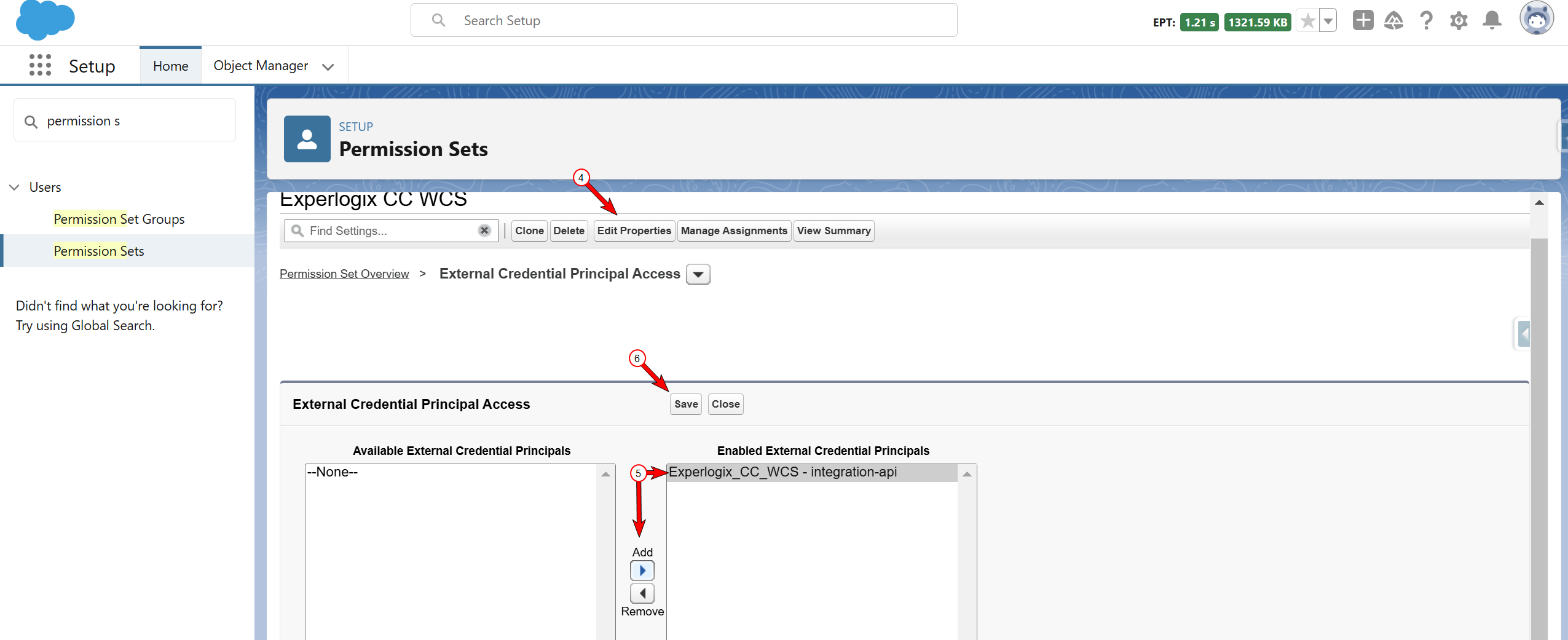
Select Edit Properties.
-
Add Experlogix_CC_WCS access.
-
Select Save.
-
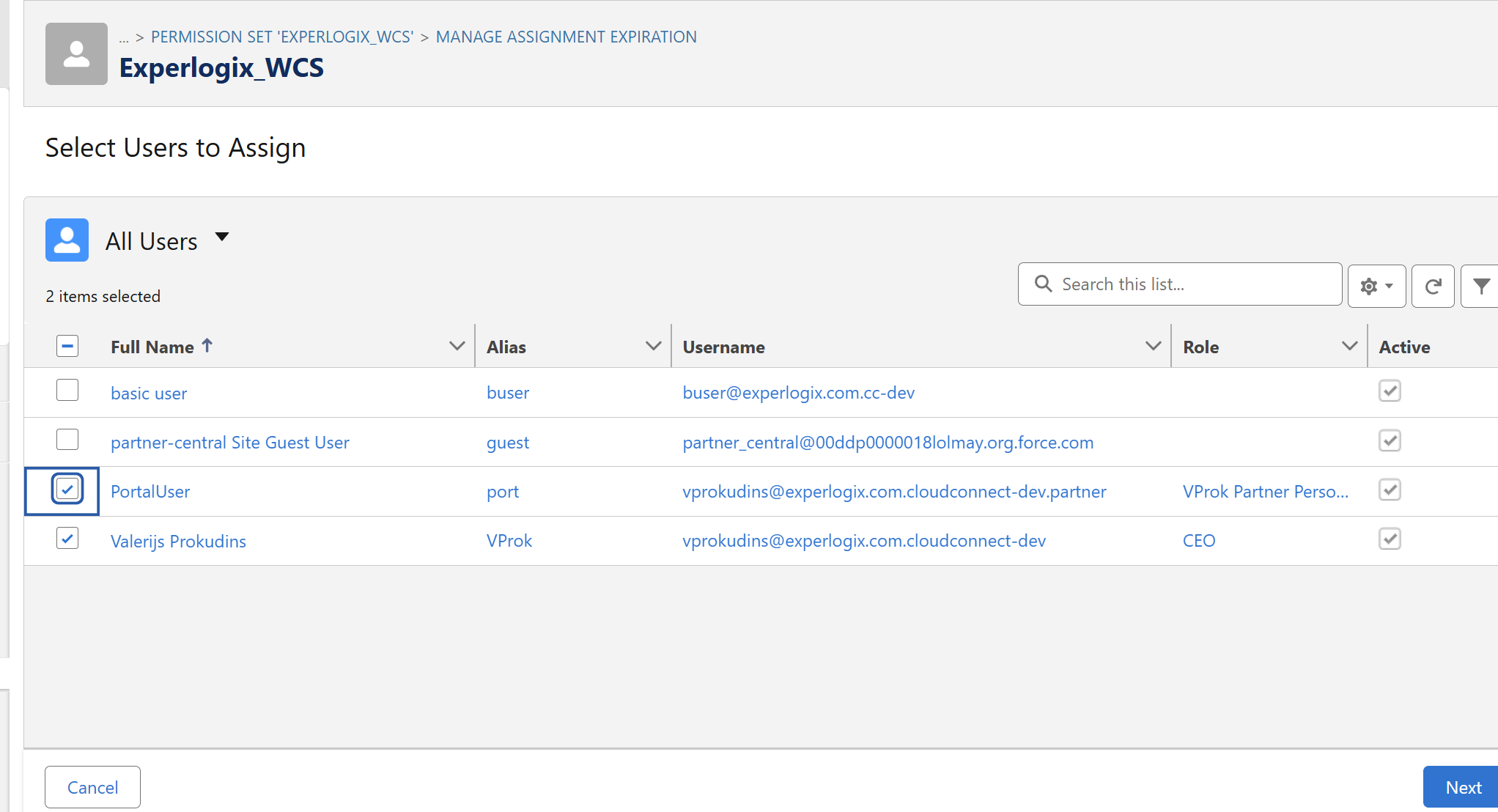
Select Manage Assignments.
-
Assign this Permission Set to users who need to use Experlogix Cloud Connect with WCS.
Usage Instructions
To use getMetadata Experlogx WCS method, use the following code snippet:
StatelessOpsGetMetadata request = new StatelessOpsGetMetadata('006Dn00000GiH57','Opportunity'); request.invoke();
To use copyConfiguration(createConfigurationFromCopy) WCS method use the following code snippet:
StatelessOpsCopyConfiguration request = new StatelessOpsCopyConfiguration('006Dn00000GiH57','Opportunity','006Dn00000GiH57','Opportunity', '0'); request.invoke();